
| Select Package | Comprehensive Assured Pacakge, Training with Examination, Training with LMS |
|---|
Please share your query, and our team will respond shortly
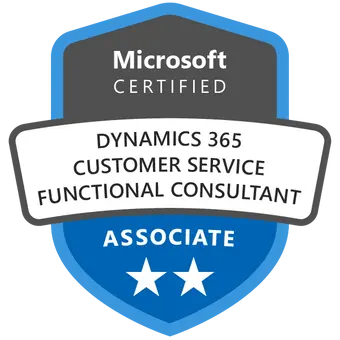

Microsoft Dynamics 365 Customer Service (MB-230)
The Microsoft Dynamics 365 Customer Service course (MB-230), which covers case management, customer engagement, and using Dynamics 365 tools to resolve situations, helps candidates prepare for the certification test.
Overview
Candidates who complete this Microsoft Dynamics 365 Customer Service Functional Consultant training course will learn how to work with solution architects to create and execute service management reports and visualizations. Together with the customer engagement administrators, they also learn how to update and apply Microsoft Power Platform features like knowledge management, integrated services, and customer feedback.
Candidates who enroll in our Microsoft MB-230 certification course will get comprehensive instruction from our internal subject matter experts in order to pass the test. In order to become a certified Microsoft Dynamics 365 Customer Service Functional Consultant Associate, we also offer pertinent study materials required to pass the MB-230 exam.
What you will Learn in this Microsoft Dynamics 365 Customer Service (MB-230) course?
- Install and configure the customer service app
- Identify common customer service scenarios
- Complete a case resolution process
- Analyze customer service data
- Automate case management record processing
- Create and use knowledge articles
- Create and use entitlements and service level agreements
- Work with Omnichannel
- Work with Connected Customer Service
- Work with Customer Service Scheduling
- Work with Customer Service Insights
- Work with Microsoft Power Platform
Work with Customer Service workspaces
Who should go for Microsoft Dynamics 365 Customer Service (MB-230) course?
- IT professionals aiming to expand their expertise in Microsoft Dynamics 365 Customer Service module.
- End users looking to specialize in the Dynamics 365 Customer Service module.
- Customer service professionals looking to level up their skills and provide better support to their customers.
- Business owners seeking to improve customer satisfaction and retention.
Our Package
Work with cases in Dynamics 365 Customer Service
- Get started with Dynamics 365 Customer Service
- Introducing Dynamics 365 Customer Service
- Customer Service core components
- Understand the modern customer journey
- Managing cases with Dynamics 365 Customer Service Hub
- Case management overview
- Case creation and lifecycle
- Considerations for case creation automation
- Simulation – Create and resolve cases
- Case management scenarios
- Case management dashboard scenarios
- Case management work with cases scenarios
- Use Copilot to assist in resolving customer issues
- Work with status reason transitions
- Exercise – Manage cases in Microsoft Dynamics 365
- Manage cases with Dynamics 365 Customer Service workspace
- Introduction
- Get started with Customer Service workspace
- Case creation and life cycle
- Automate case creation
- Case management scenarios
- Use Copilot to assist in resolving customer issues
- Use the Case Management Agent with Copilot
- Exercise – Create and resolve cases in Dynamics 365
- Use Microsoft Dynamics 365 Customer Service queues to manage case workloads
- Introduction to Microsoft Dynamics 365 queues
- Configure tables for queues
- Create a Microsoft Dynamics 365 queue
- Work with queues
- Exercise – Use queues to manage case workloads
- Routing rule sets
- Exercise – Use routing rules to assign cases to specific queues
- Service representative collaboration in Dynamics 365 Customer Service
- Introduction
- Set up Microsoft Teams chat in Customer Service
- Use embedded Teams chat in Customer Service
- Microsoft Teams meeting integration in Dynamics 365
- Set up customer support swarming for complex cases
- Use customer support swarming
- Configure Copilot in Dynamics 365 Customer Service
- Introduction
- Turn on Copilot in Customer Service
- Manage fields for case summaries
- Customize Copilot conversation summaries
- Display the Copilot case summary on custom case forms
- Configure the Case Management agent
- Create or update records automatically in Customer Service Hub
- Introduction
- Set up rules to create or update records automatically
- Configure rules for creating or updating records automatically
- Map records manually with Power Automate
- Complete and activate your rule
- Use the activity monitor to review and track rules
Work with Knowledge Management Solutions in Dynamics 365 Customer Service
- Create knowledge management solutions in Dynamics 365 Customer Service
- Knowledge management overview
- Create and define knowledge articles
- Knowledge article lifecycle
- Manage knowledge article versions, categories, and translations
- Knowledge article publication
- Exercise – Create and maintain knowledge articles
- Search and filter knowledge articles by using Dynamics 365 Customer Service
- Introduction
- Knowledge article search filters
- Search for article content from external search providers
- Manage integrated search providers
- AI suggestions for article keywords and descriptions
- Knowledge article analytics
- Use knowledge articles to resolve Dynamics 365 Customer Service cases
- Knowledge article and case resolution overview
- Enable and configure tables for Knowledge Search
- Configure article search and display options
- Search for knowledge articles
- Article analytics
Help service reps be more productive in Dynamics 365 Customer Service
- Create custom experiences for service representatives with agent experience profiles in Customer Service
- Introduction
- Create and use agent experience profiles to manage apps
- Application tab templates
- Session templates
- Manage notification settings and templates
- Use templates in workstreams
- Enhance representative productivity with Customer Service workspace
- Introduction
- Explore the Customer Service workspace user interface
- View and edit records
- Work with case records
- Use the Productivity pane in Customer Service workspace
- Manage cases with Dynamics 365 Customer Service workspace
- Introduction
- Get started with Customer Service workspace
- Case creation and life cycle
- Automate case creation
- Case management scenarios
- Use Copilot to assist in resolving customer issues
- Use the Case Management Agent with Copilot
- Exercise – Create and resolve cases in Dynamics 365
- Enhance service representative productivity and personalization in Omnichannel for Customer Service
- Introduction
- Quick replies
- Use personal quick replies
- Enable sound and missed notifications for conversations
- Enable auto-assignment of conversations
- Enable sharing of knowledge articles
- Enhance service representative productivity and personalization in Customer Service Hub
- Introduction
- Configure the timeline for service representatives
- Use email
- Configure email for service representatives
- Get started with Dynamics 365 Productivity Tools
- Introduction
- Work with macros
- Use automation to pass parameters
- Work with agent scripts
- Smart assist
- Create smart assist solutions in Contact Center for Dynamics 365 Customer Service
- Introduction
- Work with Microsoft Adaptive Cards
- Build a smart assist bot
- Integrate a smart assist bot with Contact Center
- View AI-suggested similar cases and knowledge articles
Route and distribute work in Dynamics 365 Customer Service
- Get started with unified routing for Dynamics 365 Customer Service
- Introduction
- Route cases by using basic routing rule sets
- Set up unified routing
- Create and manage users
- Create and manage queues for unified routing
- Set up workstreams for record routing
- Route and distribute work with unified routing in Dynamics 365 Customer Service
- Introduction
- Set up work classification
- Route items to queues
- Set up work assignments in queues
- Get started with intelligent routing
- Diagnostics
- Use skill-based routing in Dynamics 365 Customer Service
- Introduction
- Define skill-rating models
- Skill types
- Assign skills to representative
- Define a default skill-matching algorithm for a workstream
- Attach skills to work items
- Build intelligent skill-finder models
- Entity record routing with Omnichannel for Dynamics 365 Customer Service
- Introduction
- Entity record routing
- Entity routing rule sets
- Route triggering
Connect and engage with customers with Omnichannel for Dynamics 365 Customer Service
- Get started with Omnichannel for Customer Service
- Introduction to Omnichannel for Customer Service
- Use the agent interface
- Manage sessions and work with applications
- Work with conversations
- Work with customer information
- Reporting and analysis
- Work with AI features
- Helping a customer service rep’s productivity
- Deploy chat widgets with Omnichannel for Dynamics 365 Customer Service
- Introduction to chat channels
- Set up a workstream for chat
- Create a chat channel
- Allow chat transcripts and file downloads
- Work with prechat and post-chat surveys
- Embed a chat widget in a portal
- Use proactive chat
- Deploy a Voice channel in Dynamics 365 Customer Service
- Introduction
- Set up and provision the Voice channel
- Define voice queues
- Set up a voice workstream
- Call routing
- Make and receive calls
- Historical analytics, reports, and call insights
- Deploy an SMS channel in Omnichannel for Dynamics 365 Customer Service
- Introduction
- Configure phone numbers and messaging accounts
- Configure SMS workstream
- Configure SMS workstream options
- Route SMS conversations
- Configure Additional Settings
- Deploy social messaging channels in Omnichannel for Dynamics 365 Customer Service
- Introduction
- Configure a Facebook channel
- Configure a LINE channel
- Configure a WhatsApp channel through Twilio
- Configure a WeChat channel
- Configure additional options
- Set up Apple Message for Business and Google Business Messages as channels in Dynamics 365 Customer Service
- Introduction
- Set up a Google Business Messages channel
- Set up a Google Business Messages workstream
- Set up an Apple Messages for Business channel
- Set up an Apple Messages for Business workstream
- Rich messages
- Publish and edit rich messages
- Workstream association
- Rich messages in conversation control
- View and send rich messages
- Manage authentication settings
- Create payment profiles
- Integrate an agent for Contact Center and Dynamics 365 Customer Service
- Introduction
- Configure the Microsoft Copilot Studio agent
- Configure Contact Center
Create surveys with Dynamics 365 Customer Voice
- Create a survey project with Dynamics 365 Customer Voice
- Introduction
- Dynamics 365 Customer Voice
- Projects in Dynamics 365 Customer Voice
- Create your first project
- Exercise – Create a basic project
- Create customer surveys with Dynamics 365 Customer Voice
- Introduction
- Survey headers and branding
- Add branching logic to surveys
- Personalize a survey with variables
- Add satisfaction metrics to a survey and project
- Add multiple languages for your surveys
- Exercise – Create a basic survey
- Send Dynamics 365 Customer Voice surveys
- Introduction
- Create and personalize email templates
- Translate email templates into other languages
- Email a survey
- Upload CSV files
- Use links and QR codes
- Analyze survey reports
- Exercise – Create an email template
- Automate Dynamics 365 Customer Voice surveys with Power Automate
- Introduction
- Send a survey with Power Automate
- Create an invitation
- Expand variables to further customize surveys
- Use the locale variable for multilingual surveys
- Use variables for follow-up actions
- Exercise – Create a survey invitation
- Embed surveys in your website with Dynamics 365 Customer Voice
- Introduction
- Prepare the survey to use on a website
- Embed a survey in your website
- Use context data from the survey responses
- Exercise – Embed a survey on a website
- Create customer Power BI reports in Dynamics 365 Customer Voice
- Introduction
- Use the Dynamics 365 Customer Voice Power BI template
- Connect to Dynamics 365 Customer Voice data with Power BI
- Create customized Power BI reports
- Calculate the Net Promoter Score for Dynamics 365 Customer Voice data
- Exercise – Connect to Dynamics 365 Customer Voice data with Power BI
Get started with Dynamics 365 Customer Service scheduling
- Set up Customer Service scheduling
- Introduction
- Set up service scheduling
- Define resources
- Define facilities and sites
- Schedule services with Customer Service scheduling
- Introduction
- Set up fulfillment preferences
- Create service activities
- Schedule service activities
Work with Customer Service Insights
- Get started with Customer Service Insights
- Introduction to Customer Service Insights
- Configure Customer Service Insights
- Discover Customer Service Insights dashboards
- Discover Knowledge search analytics
- Create visualizations for Dynamics 365 Customer Service
- Introduction
- Create and use charts
- Create dashboards for Customer Service
- Working with Historical analytics
- Use Power BI to view Customer Service data
Upcoming Batch
April 20th (Weekends)
FRI & SAT (4 Weeks)
08:30 PM to 01:00 AM (CDT)
April 18th (Weekdays)
MON – FRI (18 Days)
10:00 AM to 12:00 PM (CDT)
Enter the Title



Reviews
There are no reviews yet.